
Java Streams Side Effects (Interview Questions)
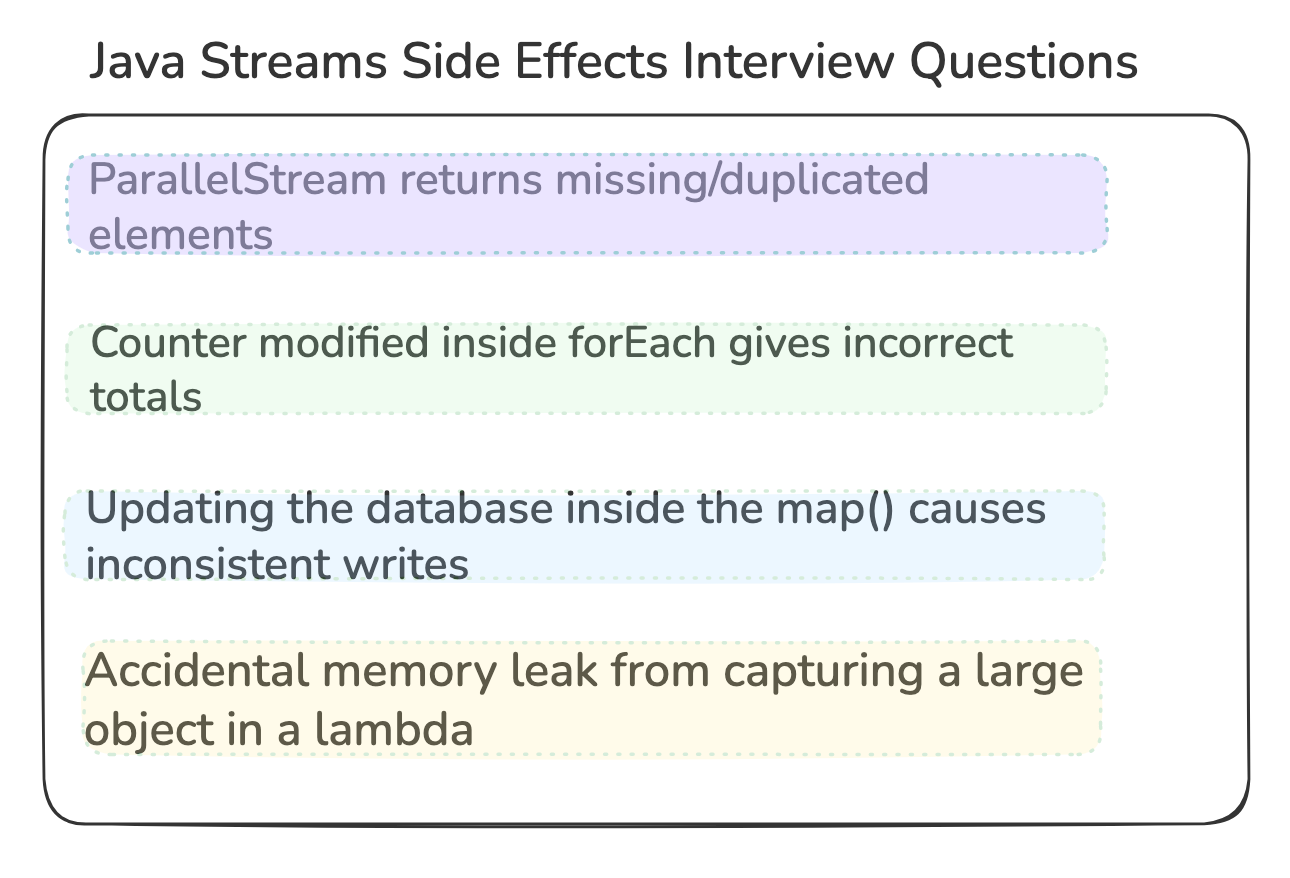
Sharing 4 Interesting Java Interview Questions

📢 Get actionable Java/Spring Boot insights every week — from practical code tips to real-world use-case based interview questions.
Join 3600+ subscribers and level up your Spring & backend skills with hand-crafted content — no fluff.I want to offer an additional 40% discount ($ 18 per year) until January 31st. That’s just $1.5/mo. Unlock all the premium benefits including 35+ real world use cases.

Not convinced? Check out the details of the past work
1. ParallelStream returns missing/duplicated elements
Why does the code below produce missing or duplicated integers?
How would you fix it without removing parallelism?
public static void main(String[] args) {
    List<Integer> out = new ArrayList<>();
    IntStream.rangeClosed(1, 100)
            .parallel().
            forEach(out::add);
}
Explanation:
ArrayListis not thread-safe.Parallel threads race on:
internal resize,
index increments,
writes to the same backing array.
This causes:
lost writes,
duplicated writes,
ArrayIndexOutOfBoundsExceptionunder heavy load.
Fix:
Option 1:
This option is preferred due to:
No shared mutable state,
No locks,
No contention
Used exactly as parallel streams are designed
// use parallel stream with collector to_list()
var out1 = IntStream.rangeClosed(1, 100)
        .parallel()
        .boxed()
        .toList();
System.out.println(out1.size()==100); //true
Option 2:
Shared mutable state across all threads
Every
add()requires acquiring a monitor lockCauses severe contention
Scaling collapses as thread count increases
// use syncronizedList
List<Integer> out2 = Collections.synchronizedList(new ArrayList<>());
IntStream.rangeClosed(1, 100)
        .parallel().
        forEach(out2::add);
System.out.println(out2.size()==100);//true
2. Counter modified inside forEach gives incorrect totals
Below works in sequential streams, but becomes subtly dangerous if someone changes an earlier part of the pipeline to parallel stream , why?
AtomicLong total = new AtomicLong();
invoices.stream().forEach(i -> total.addAndGet(i.amount()));

invoices.parallelStream()...
Explanation:
Streams guarantee correct behavior only if the mapping/reduction steps are side-effect-free.
We have:
Shared mutable state (
AtomicLong)Parallel execution
Even with AtomicLong, this can produce incorrect totals in production billing systems.
When we mutate the shared state inside forEach, the stream framework:
Cannot optimize
Cannot reorder safely
Cannot parallelize correctly
May drop operations when cancellation happens (e.g., findFirst, limit)
So we get missed increments or double increments in rare edge cases.
If parallel is desired, we can do the following:
long total = invoices.parallelStream()
        .mapToLong(Invoice::amount)
        .sum();
3. Updating the database inside the map() causes inconsistent writes
Question:
What subtle bug can occur here related to lazy evaluation or short-circuiting
Where should DB calls appear in a stream pipeline?
orders.stream()
      .map(o -> { repo.update(o.id); return o; })
      .map(this::process)
      .forEach(repo::save);
Explanation:
map() is a lazy intermediate operation. It runs only when downstream operations demand its value.
This means:
If someone adds
.limit(10), then only the first 10 updates run.If someone later uses
.findFirst()or.anyMatch()Updates for the rest of the elements never execute.If exceptions occur later in the pipeline, the update already happened → partial writes.
If the stream ever becomes parallel,
map()may be:executed out of order
executed more than once (task retries)
skipped due to cancellation
All of these lead to an incomplete or inconsistent database state. In short, A database write is hidden inside map() does not have the execution guarantees you expect.
Where should DB calls appear in a stream pipeline?
In the terminal operation.Not inside map(), filter(), flatMap(), etc.
orders.stream()
      .map(this::process)
      .toList()                  // materialize results
      .forEach(o -> repo.update(o.id));
4. Accidental memory leak from capturing a large object in a lambda
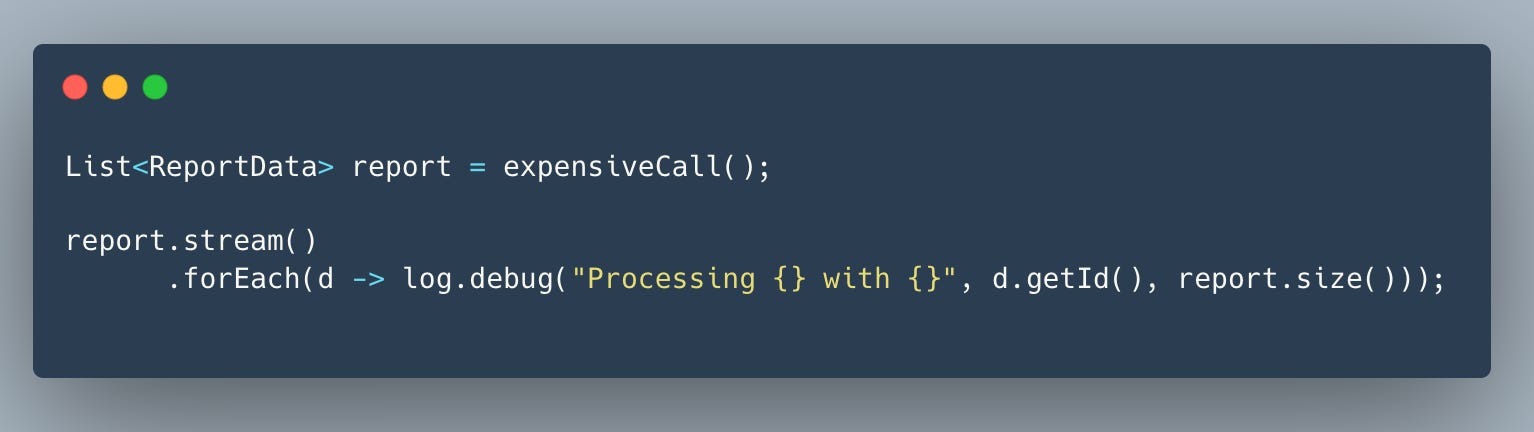
Inside the lambda d -> log.debug(...):
The lambda captures the outer variable
reportbecause it referencesreport.size().This captured reference becomes part of a synthetic class instance created by the JVM to represent the lambda.
That lambda instance gets stored inside:
the Stream pipeline,
the forEach consumer,
and most importantly the logging framework’s async buffer.
Why report stays in memory too long
If your logger (Log4j2, Logback, SLF4J) uses:
asynchronous appenders
ring buffers
message formatting queues
deferred string evaluation
Then the lambda or the formatted message object is queued and held long after the stream finishes.
Because the lambda contains a reference to report, the entire list—sometimes hundreds of thousands of objects—cannot be garbage collected.
So a simple debug log line ends up keeping:
Lambda -> reference to report -> entire List<ReportData> -> thousands of ReportData rowsThis results in:
high memory spikes
long GC pauses
out-of-memory on larger batch sizes
Helpful Resources (7)
Happy Coding 🚀
Suraj